CONTEXT AND BRIEF
Orotig's EcoTech furnace could run two melting processes at once. The interface it shipped with could barely handle one.
Orotig is a European manufacturer of industrial laser and melting equipment, primarily serving the jewellery and precision manufacturing sectors. EcoTech is their dual-chamber melting furnace: a machine capable of running two independent melting processes simultaneously, reaching temperatures of 1,400 to 1,600°C, across continuous cycles of 8 to 10 hours. It operates in goldsmithing workshops and industrial foundries across Italy and central Europe. A single ruined batch costs between €200 and €500. The machine runs through the night, across weekends, in environments that are loud, hot, and unforgiving.
The EcoTech's dual-chamber capability was a genuine hardware breakthrough. The interface that controlled it was not. It had been built for a single-chamber machine: physical buttons, analog dials, a small monochrome LCD. When Orotig introduced the dual-chamber model, they kept the same control system and added complexity on top of it. Operators were now managing two independent processes, each with its own material, temperature curve, and timing, through an interface that had never been designed to handle either of them well. Orotig commissioned a touchscreen interface for a 10-inch tablet to be integrated directly into the EcoTech control panel.
Client
Orotig
Industry
Industrial – B2B
Year
2023
Role
Solo UX/UI Designer
Duration
6 months


PROBLEM DEFINITION
Every time an operator started a new melt, they rebuilt the setup from scratch. Parameters scattered across multiple windows, a two-program limit, no memory of what worked before. The interface treated every cycle as if it were the first one.
The previous interface had three structural problems that compounded each other. Parameters were fragmented across several separate windows. To configure a single melting cycle, an operator had to navigate between screens for temperature, timing, power curve, and chamber assignment. Nothing was visible at once. Experienced operators had the sequence memorised. New operators made mistakes. The program limit was two. EcoTech customers work with multiple materials, each requiring a different configuration: gold alloys, silver, bronze, platinum, each with its own temperature profile and hold time. The interface could store exactly two presets. Everything else had to be entered manually, every time, from memory or from handwritten notes kept next to the machine. And running both chambers simultaneously meant tracking two independent cycles through an interface that showed one thing at a time. Operators working across both chambers had no way to see the full picture without switching views, which meant the status of one chamber was always temporarily invisible while checking the other.

PROCESS AND EXPLORATION
The fragmentation problem came first. If parameters were scattered across windows because that was how the old interface had been architected, the answer was consolidation. Every parameter relevant to a single chamber needed to live on one screen, visible simultaneously, editable without navigation. That became the structural principle of the new interface. The program limit came second.
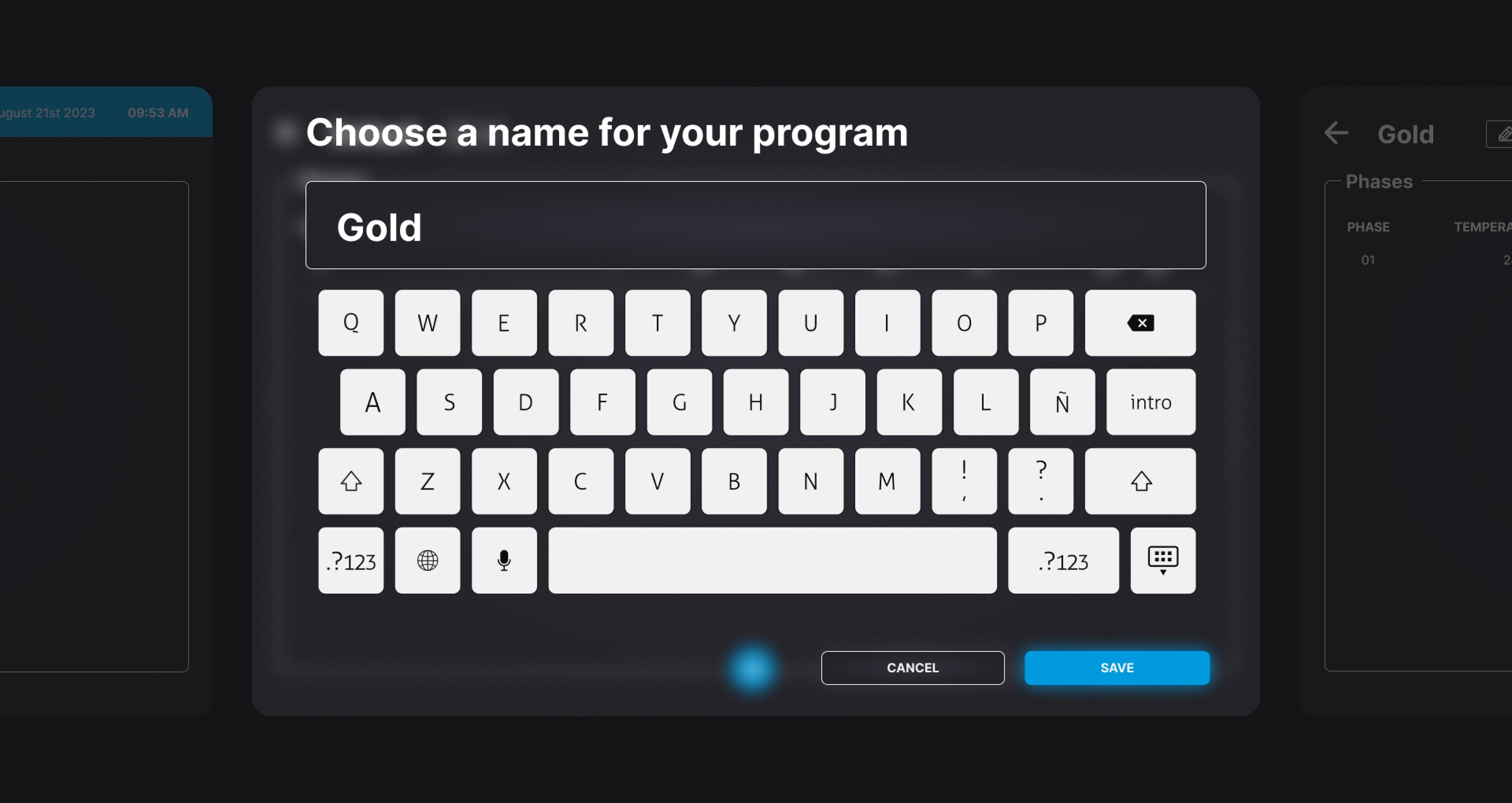
Two presets was an arbitrary constraint inherited from legacy hardware limitations. The new tablet interface had no such constraint. The solution was a full material library: named presets for every common alloy, each storing the complete temperature curve, hold time, and power profile. Operators select a material and the configuration loads. They override individual values if needed. They never rebuild from scratch. The dual-chamber visibility problem came third and shaped the visual system entirely. Both chambers needed to be visible simultaneously, at a glance, from across the room. Chamber A in blue, Chamber B in orange. Not aesthetic choices. Blue and orange remain perceptually distinct under the mixed lighting of a goldsmithing workshop, where furnace glow and overhead fluorescents create conditions where other colour pairs collapse.
Temperature values at 48 points minimum. Touch targets at 60 by 60 pixels minimum, operable with thick heat-resistant gloves. The weekend scheduling feature addressed the last major frustration. Operators could now configure a complete cycle in advance, assign it to a chamber, set a start time, and walk away. The machine runs. They return to results.


Chose to consolidate all chamber parameters onto a single screen rather than replicating the window-based architecture of the old interface. The fragmentation was the problem. Navigation was its symptom.
Fixed 10-inch touchscreen at 1280x800, mounted at chest height on the furnace panel. Operable with thick heat-resistant gloves. No audio feedback viable above 95dB ambient noise. Readable at 5 meters in mixed industrial lighting.
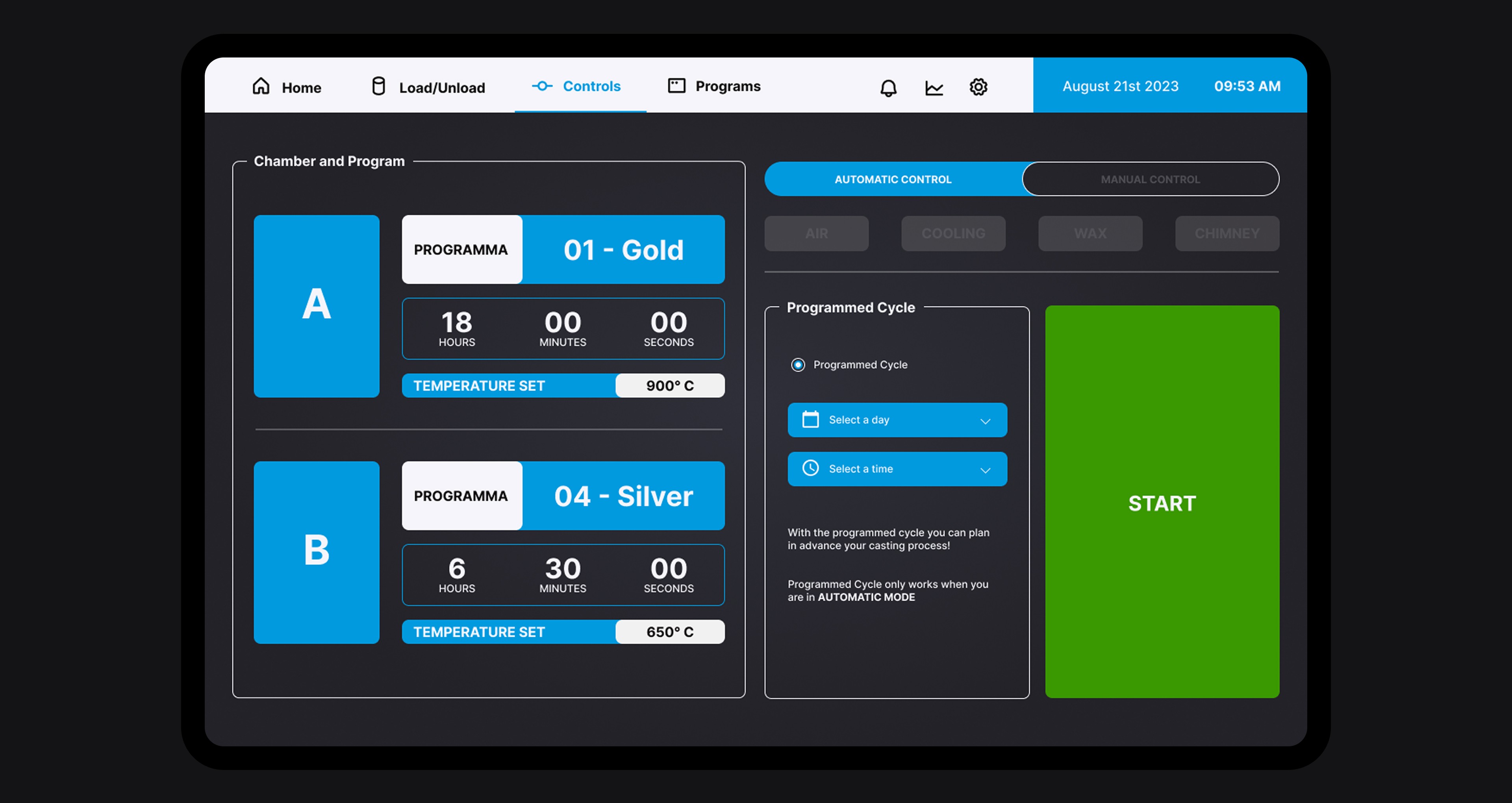



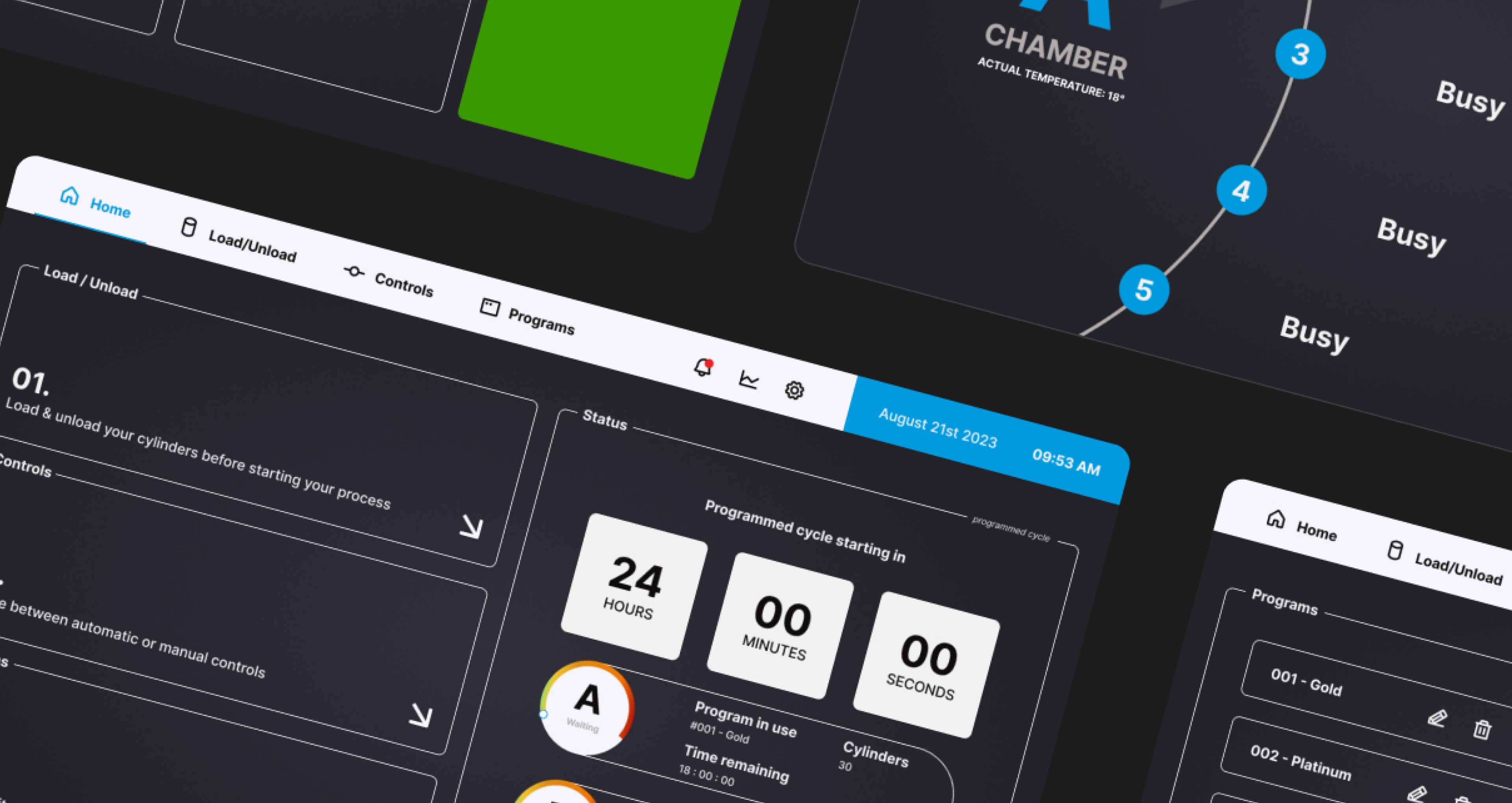
A touchscreen interface for the EcoTech dual-chamber furnace, built around three problems the old interface had never solved. Consolidated single-screen control per chamber, eliminating the multi-window navigation that turned every setup into a reconstruction exercise. A full material preset library replacing the two-program limit, storing complete temperature profiles for every alloy an operator works with. And a split-screen dashboard showing both chambers simultaneously, in blue and orange, at a scale readable from across the workshop floor. Handed off to Orotig's development team with full interaction specifications, component library, and edge case documentation for implementation.
Avg. cycle setup time (down from 7 min with the previous interface)
2.5 min
Faster operator onboarding (2 days to 4 hours per shift supervisor report)
60%
Wrong-chamber errors across 3 beta sites and 6 weeks of real-world operation
0